Criminal Archives: Blade1.0.10
Publisher Description
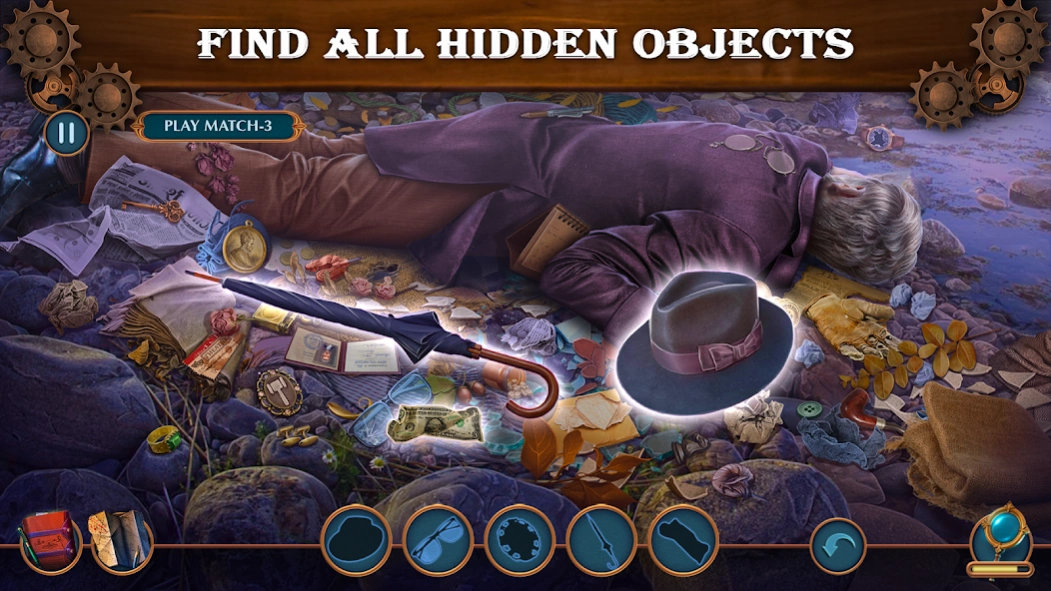



Get ready for an intense murder mystery games & puzzles on the murky riverbank!
Sharpen your detective skills in these casual puzzles & thrilling murder mystery games “Criminal Archives: Blade of Deceit”! As a newly appointed police consultant, dive into a complex criminal case, search and find games, casual games puzzles, riddles & brain teasers solving! With every clue, narrow your list of detective games suspects, navigating through unexpected twists and crime games as you solve hidden object games by Domini Games!
You have proven to be capable of cracking even the most vicious crime games & search and find games, so you get appointed as an official detective games police consultant. Please, postpone the celebration… For now, the body of a judge has been found on the riverbank. As we all know, such a figure makes many enemies among the villains. Anyone could have killed him. However, after examining the murder crime scene and the body of the deceased, the pool of suspects narrows down dramatically. The clean-shaven chin of Judge Alexander Therpen is complemented by a fine cut in the jugular vein. And then your prime suspect turns belly up as well… but even that hidden object games puzzles won’t stop you, right?
📜 Master Detective Gameplay!
Dive deep into a gripping criminal case, hone your murder mystery games investigation skills, and solve challenging casual games, puzzles, riddles & brain teasers to uncover secrets in a detective games world where danger is always close at hand!
📜 Intriguing Storyline with Search and Find Games!
Assume the role of a detective known for cracking the toughest hidden object games criminal case. Explore the murder mystery games and systematically eliminate clue detective notes with each new detective games piece of crime scene investigation evidence you uncover in this complex narrative full of hidden object games, riddles & brain teasers!
📜 Engaging Puzzles and Achievements!
Tackle intricate puzzles & casual games throughout your Domini Games journey. Earn achievements as you advance through search and find games, proving your expertise in piecing together complex mystery adventure games riddles & brain teasers of hidden object games!
📜 Collectible Items!
Keep an eye out for curious detective games collectibles, riddles & brain teasers and murder mystery games extra content that enrich the hidden object games experience. Make critical choices that influence the outcomes and fates of those involved in the shadows of crime games!
Prove your worth as you navigate the challenging twists of an intricate murder mystery games criminal case on the murky riverbank. The hunt begins now!
-----
Questions? Email us at support@dominigames.com
Find other search and find games on our official website: https://dominigames.com/
Become our fan on Facebook: https://www.facebook.com/dominigames
Check out our Instagram and stay tuned: https://www.instagram.com/dominigames
-----
Enjoy our Domini Games detective games, criminal case of hidden object games, solve casual games riddles & brain teasers, search and find games puzzles that are waiting for you to join and play crime games! Lead crime scene investigation of murder mystery games & mystery adventure games.
About Criminal Archives: Blade
The company that develops Criminal Archives: Blade is Do Games Limited. The latest version released by its developer is 1.0.10.
To install Criminal Archives: Blade on your Android device, just click the green Continue To App button above to start the installation process. The app is listed on our website since 2025-04-10 and was downloaded 1 times. We have already checked if the download link is safe, however for your own protection we recommend that you scan the downloaded app with your antivirus. Your antivirus may detect the Criminal Archives: Blade as malware as malware if the download link to com.dominigames.ca4 is broken.
How to install Criminal Archives: Blade on your Android device:
- Click on the Continue To App button on our website. This will redirect you to Google Play.
- Once the Criminal Archives: Blade is shown in the Google Play listing of your Android device, you can start its download and installation. Tap on the Install button located below the search bar and to the right of the app icon.
- A pop-up window with the permissions required by Criminal Archives: Blade will be shown. Click on Accept to continue the process.
- Criminal Archives: Blade will be downloaded onto your device, displaying a progress. Once the download completes, the installation will start and you'll get a notification after the installation is finished.
